Introduction
Obsidian is a free, powerful note-taking app that turns your notes into a second brain. It’s ideal for paramedic students who want to organize their knowledge, connect ideas, and study more deeply. It supports markdown, backlinks, and linking notes together—perfect for building understanding across directives, conditions, medications, and pathophysiology.
1. Installing Obsidian
Desktop (Recommended)
- Go to https://obsidian.md
- Download for Windows, macOS, or Linux
- Install and open Obsidian
Mobile (Optional)
- Available for both iOS and Android
- Sync via Obsidian Sync (paid) or free cloud options (Dropbox, Google Drive, GitHub, etc.)
2. Create Your Vault
A “vault” is your personal Obsidian workspace.
- Open Obsidian → Create New Vault
- Name it something like:
Paramedic Notes - Choose where to save it (recommend a cloud folder for backup)
3. Folder Structure for Paramedic Students
Organize your vault to reflect how you learn and study. Example structure:
📁 00_Home
📁 01_Directives
📁 02_Drugs
📁 03_Systems (e.g., Cardio, Neuro)
📁 04_Pathophysiology
📁 05_Case Studies
📁 06_Lab Notes
📁 07_Personal Zettelkasten
📁 Templates
4. Recommended Settings
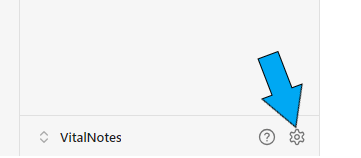
Open Settings (gear icon) and adjust the following:
| Setting | Recommendation | Purpose |
|---|---|---|
| Editor > Reading View | Enabled | Easy toggling between edit/preview |
| Files & Links > Default location for new notes | Same folder as current file | Keeps your vault tidy |
| Core Plugins > Daily Notes | Enabled | Use for journaling/lab debriefs |
| Core Plugins > Templates | Enabled | Standardize your note formats |
| Core Plugins > Backlinks | Enabled | See what other notes link to this one |
| Core Plugins > Graph View | Enabled | Visual map of your knowledge |
| Community Plugins (Optional) | Periodic Notes, QuickAdd, Calendar | Productivity & note enhancement |
5. Note Types & Workflow
Use these three note types in your workflow:
Fleeting Notes
Quick thoughts, jotted ideas during class or shift
→ Example:[[Quick Note - Trauma]]: "Need to clarify pelvic binder steps"
Literature/Class Notes
Structured notes from lectures, readings, or ALS PCS
→ Template:
**Source:** ALS PCS – Hypoglycemia
**Tags:** #directive #hypoglycemia
**Summary:**
- Treat if BGL < 4.0 mmol/L
- Oral glucose if GCS 14+
- IV Dextrose or Glucagon if unable to swallow

**Key Points:**
- Glucagon requires intact glycogen stores
- Dextrose = preferred IV option
Permanent Notes (Zettelkasten Style)
Your own understanding, in your own words
→ One idea per note
→ Connected to other relevant notes
→ Example:
Title: [[Hypoglycemia as a Medical Directive Trigger]]

Hypoglycemia is a trigger for several medical directives. It must be ruled out or corrected before applying other treatments such as altered LOA, seizures, or cardiac arrest causes.
Linked to: [[Seizure Directive]], [[Cardiac Arrest Hx]], [[Dextrose]]
6. Templates to Use
Create a folder called Templates and save common formats there.
Directive Note Template
**Directive:**
**Source:** ALS PCS
**Indications:**
**Contraindications:**
**Treatment Summary:**
**Patch Considerations:**
**Linked Topics:** [[Glucagon]], [[Hypoglycemia]], [[Altered LOA]]
Drug Card Template
**Name:**
**Classification:**
**Indications:**
**Contraindications:**
**Dose:**
**Mechanism of Action:**
**Side Effects:**
**Linked Directives:** [[ACS]], [[Cardiogenic Pulmonary Edema]]
7. Daily & Lab Use Suggestions
- Use Daily Notes to reflect on labs, lectures, or cases
- Summarize key takeaways after each class
- After lab scenarios: create permanent notes for what you learned, not what happened
8. Linking Notes & Backlinks
- Use
[[ ]]to link one note to another E.g., inACSnote:Nitroglycerin is used if systolic BP > 100 [[Nitroglycerin]] - Check Backlinks to see what’s connected (this shows you relationships in your knowledge)
9. Graph View: Visualizing Your Learning
- Open Graph View to see how interconnected your notes are
- Weak areas show up as isolated dots → build connections!
10. Syncing and Backups
- Local Only: Notes are saved as plain
.mdtext files - Free Sync Options:
- Use Dropbox, Google Drive, or GitHub for cloud backup
- Paid Option: Obsidian Sync ($10/month) offers end-to-end encrypted vault syncing
11. Pro Tips for Success
- Don’t copy-paste slides → rewrite in your own words
- Use tags sparingly: e.g., #cardiology, #directive, #pharmacology
- Use Zettelkasten-style permanent notes to generate understanding
- Use Anki alongside Obsidian:
- Create Anki cards directly from permanent notes
- Use note content to generate cloze deletions or basic cards
12. Getting Started Today
- Install Obsidian
- Create a new vault:
Paramedic Notes - Create your first folder:
01_Directives - Start with one directive (e.g., Hypoglycemia)
- Add a literature note from ALS PCS
- Write one permanent note with your own explanation
- Link it to relevant topics using
[[ ]]
Conclusion
Obsidian gives you a long-term advantage over passive note-taking. Instead of scattered files and unread documents, you’ll have an interconnected network of real knowledge. Combined with daily Anki use, this system creates a memory foundation strong enough to pass exams and support you in the field.
I. Learning Foundations
Build a strong system for thinking, studying, and remembering in high-pressure fields.
- Introduction: What This Guide Is and How to Use It
Overview of how to use VitalNotes as a toolset, not just a blog. Lays the groundwork for applying what you learn. - Learning How To Learn: Build Your Second Brain
Introduces the philosophy of externalizing your thinking and memory into a “second brain” using tools like Obsidian, Anki, and ChatGPT. - Anki for Clinical Recall
How to use Anki’s spaced repetition model to remember critical information like drugs, directives, and differentials. - Smart Notes with Obsidian
Learn to use Obsidian for linked thinking, case comparisons, and long-term concept retention with smart note strategies. - Using ChatGPT as a Study Tool
Prompts and strategies for using ChatGPT to simulate cases, quiz yourself, or clarify confusing concepts on demand. - The Pomodoro Technique for Paramedic Learning
Learn how to stay focused and avoid burnout using short, structured study blocks.
II. Practical Application
Move from theory to field-ready practice. These tools help bridge simulation, lab, and real calls.
- Scenario Days – Make Learning Stick
How to get more from scenario practice using repetition, debriefs, and learning loops. Turn repetition into retention. - Mastering Directive Decision-Making
A breakdown of how to use directives in real-time, with pattern recognition, logic triggers, and threshold thinking. - Reflecting Without Journaling
Not everyone journals—this guide offers quick, low-resistance alternatives to build metacognition through regular reflection. - Lab Integration Guide
Use lab sessions to build decision-making habits, not just check off skills. Includes scenario prep, debriefing, and error capture.
III. Clinical Reasoning
Develop clarity under pressure. These pages train your diagnostic eye, pattern sense, and mental workflow.
- Building a Clinical Mindset
Helps shift from passive protocol use to active clinical judgment. Includes strategies to slow your thinking and challenge assumptions. - Fast Pattern Recognition Builders
Drills and exercises to sharpen clinical intuition by contrasting similar presentations and exploring symptom variation. - Common Errors and How to Learn From Them
Lists the most frequent mistakes in labs and scenarios—then shows how to learn from each and correct your thinking path. - The Five Whys: A Simple Method for Better Clinical Thinking
Teaches the “Five Whys” method for exploring errors, confusing presentations, or misunderstood treatments in depth.
IV. Resources
Your support tools: guides, summaries, templates, and setup walkthroughs.
- Summary
Recap of the big ideas behind VitalNotes: learn reflectively, study actively, and build a system that supports decision-making under pressure. - Helpful Resources
Downloadables and quick-reference tools: directive cue sheets, Anki decks, debrief templates, and scenario aids. - Anki Setup & Use Guide
Step-by-step instructions for downloading, customizing, and optimizing Anki for long-term retention. - Obsidian Setup & Use Guide
How to build a clinical note vault in Obsidian: folder structures, templates, and linking strategies. - Sources and References
A list of research and literature that supports the methods taught in the blog, with commentary on their application to clinical learning.
 VitalNotes